Rubber Fetish Blog by Rubberium

Explore the world of latex and rubber kink from the perspective of a young gay man who has been part of the rubber community since 2021. The Rubberium blog features personal stories, unique perspectives, and beginner's guides.
Categories

All Articles

June 8, 2024
In this article, I’ll share what camera gear I use to take my latex and rubber photos for social media and videos for YouTube. I’ll also offer some advice on editing your content.
September 18, 2023
In this blog post, I'm going to share what I own in my entire latex and rubber collection.
September 18, 2023
If you’ve recently splurged on a new S10.2 gas mask from one of the many reputable fetish clothing outlets, you’ve been lied to. That’s right, your S10.2 isn’t an S10 gas mask.
July 7, 2023
Follow along as I navigate the challenges and triumphs of embracing my true self, finding acceptance, and discovering the support of the LGBTQ+ and kink community.
April 12, 2023
Whether you’re interested in acquiring some new rubber or you already have some latex, storing and caring for your new clothes is essential.
March 15, 2023
Rubber kinkster Huuan launched a new online resource for fetishists and gear lovers called GearHub on Mar. 12.
March 7, 2023
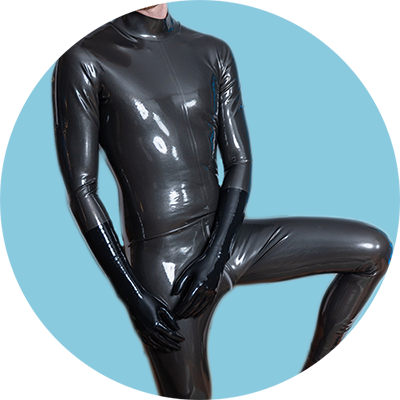
I recently purchased a back zip latex catsuit from TheKinkOn. This is my first latex purchase in months and only my second ever suit purchase. 
March 12, 2022
If you’ve been on the kinky or fetish side of social media lately, you are likely aware of Instagram’s efforts to censor and remove latex and rubber content on the platform. The thing is, latex and rubber aren't mentioned in their terms of service, and their reasons for taking posts down are often ridiculous at best.
February 2, 2022
I recently purchased my first ever latex catsuit! In this post, I'll discuss my overall thoughts and the process of purchasing it from The Kink On.

How to add this to your website

Follow along step by step with the quick video tutorial: https://youtu.be/uSgSoEQD1vs

This modal is shown only once for a user using cookies.

Add this code to the </body> section in your project settings:

<script src="https://cdnjs.cloudflare.com/ajax/libs/jquery/3.5.1/jquery.slim.min.js" ></script>
<script src="https://cdnjs.cloudflare.com/ajax/libs/js-cookie/2.2.1/js.cookie.min.js" ></script>

<script>
$(document).ready(function(){
if (!Cookies.get('alert')) { setTimeout(function(){
$('.popup-overlay').css('display','flex');
Cookies.set('alert', true, { expires: 1 });
}, 10000);
}
});
// Documentation at https://github.com/js-cookie/js-cookie
</script>

Change the 10000 (10 seconds) to however long you want the pop-up to wait until it appears.

Next, copy and paste the Pop-Up symbol into your Webflow project on any page.

Style the card however you want, adding in your own text and email form if needed.

Change the display of the Popup Overlay div to none in the Layout section of the div styling.

Finally, turn the Popup Overlay into a symbol, and add the symbol to any page you want the pop-up to appear.

You can then test your pop-up, rechecking in incognito to reset cookies.

___

Handy tool by Nikolai Bain